Environment
Provides information about the current environment and platform.
Outputs
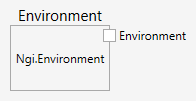
Environment (Type: Environment)
The environment object. Use the environment object properties to get at data in the environment.
Comments
This node provides an environment object that has some properties which provide access to environmental information. The table shows the properties that can be accessed on an environment object.
| property | description |
|---|---|
| CommandLine | Gets the command line for this process. |
| CurrentDiretory | Gets the fully qualified path of the current working directory. |
| EnvironmentVariableNames | Retrieves all environment variable names from the current process. |
| Is64BitOperatingSystem | Determines whether the current operating system is a 64-bit operating system. |
| Is64BitProcess | Determines whether the current process is a 64-bit process. |
| LogicalDriveNames | Returns a list of strings containing the names of the logical drives on the current computer, where each element contains the name of a logical drive. For example, if the computer’s hard drive is the first logical drive, the first element returned is “C:”. |
| MachineName | Gets the NetBIOS name of this local computer. |
| OSVersion | Gets an OperatingSystem object that contains the current platform identifier and version number. |
| ProcessorCount | Gets the number of processors on the current machine. |
| SystemDirectory | Gets the fully qualified path of the system directory. |
| UserDomainName | Gets the network domain name associated with the current user. |
| UserInteractive | Gets a value indicating whether the current process is running in user interactive mode. |
| UserName | Gets the user name of the person who is currently logged on to the Windows operating system. |