BinaryImageOperator
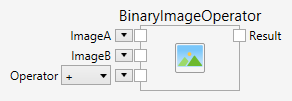
Applies a binary point operation between two images. Possible operations can be grouped into arithmetic, logic and comparison fields. Binary point operations are applied pixel by pixel, the same way for every pixel, for corresponding pixels of two images.
Arithmetic Operators
The following operators are available:
Add
Add with saturation.
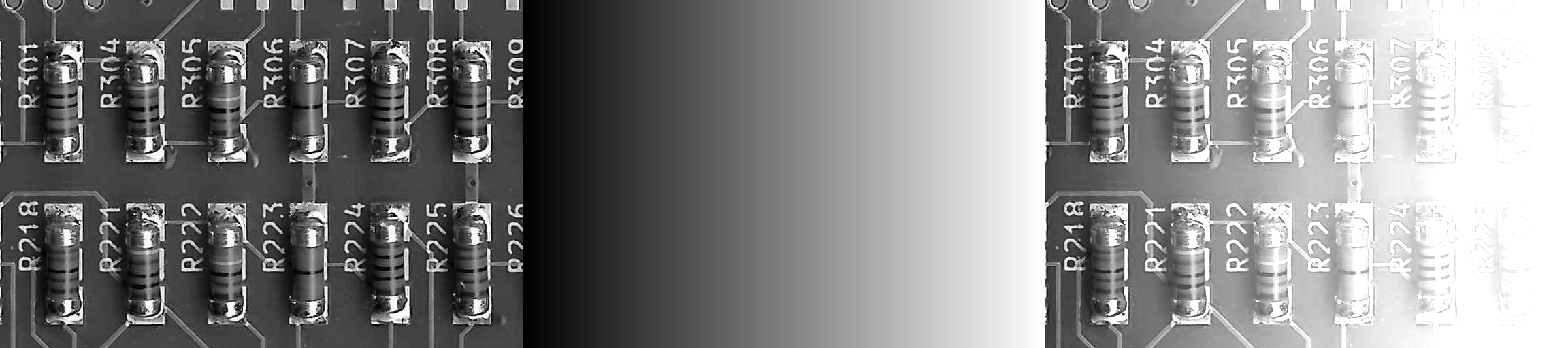
Image + Gradient -> Result
Subtract
Subtract with saturation.

Image - Gradient -> Result
Difference
Difference with saturation.
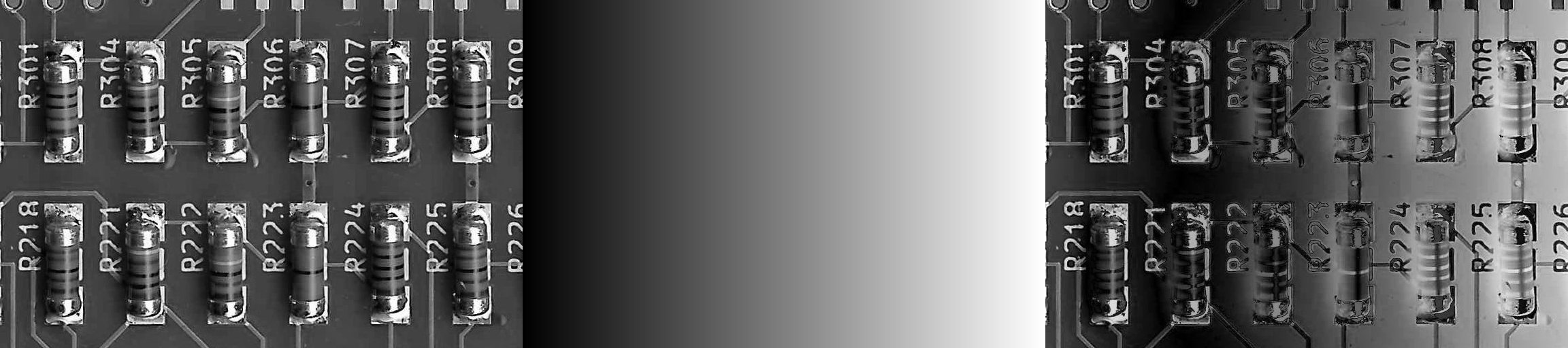
abs ( Image - Gradient ) -> Result
Multiply
Multiply without saturation.
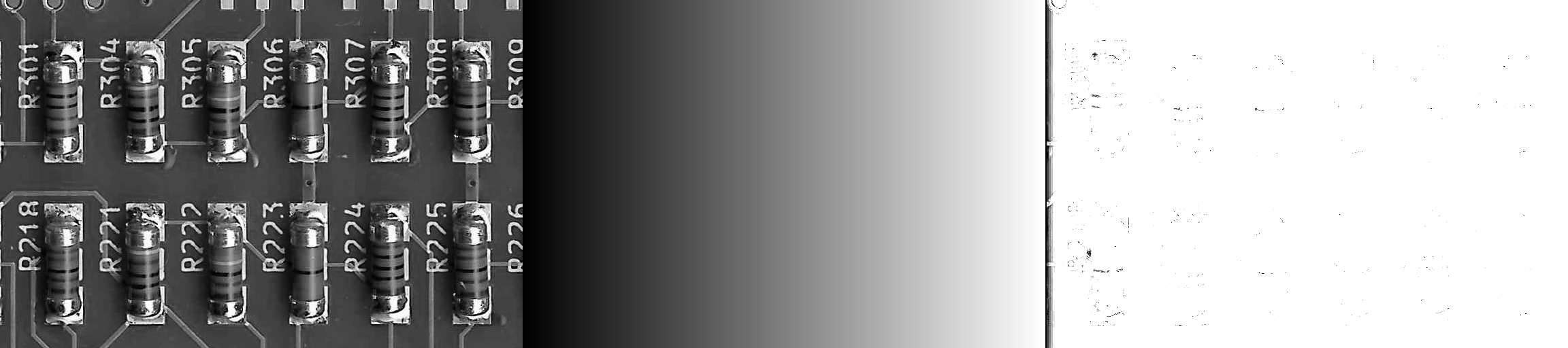
Image * Gradient -> Result
Divide
Divide without saturation.

Image / Gradient -> Result
Multiply (Blend)
Multiply with saturation.
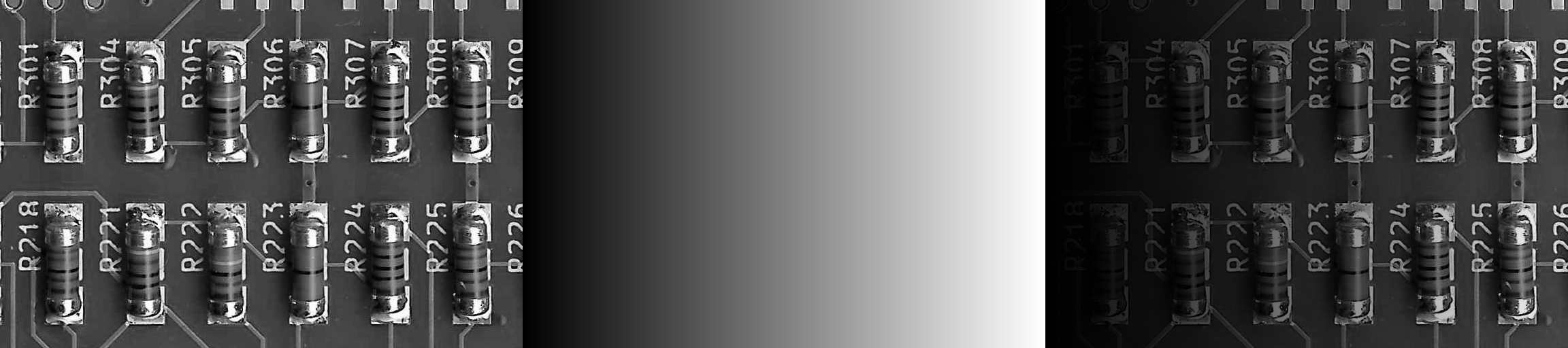
Image * Gradient -> Result
Divide (Blend)
Divide with saturation.
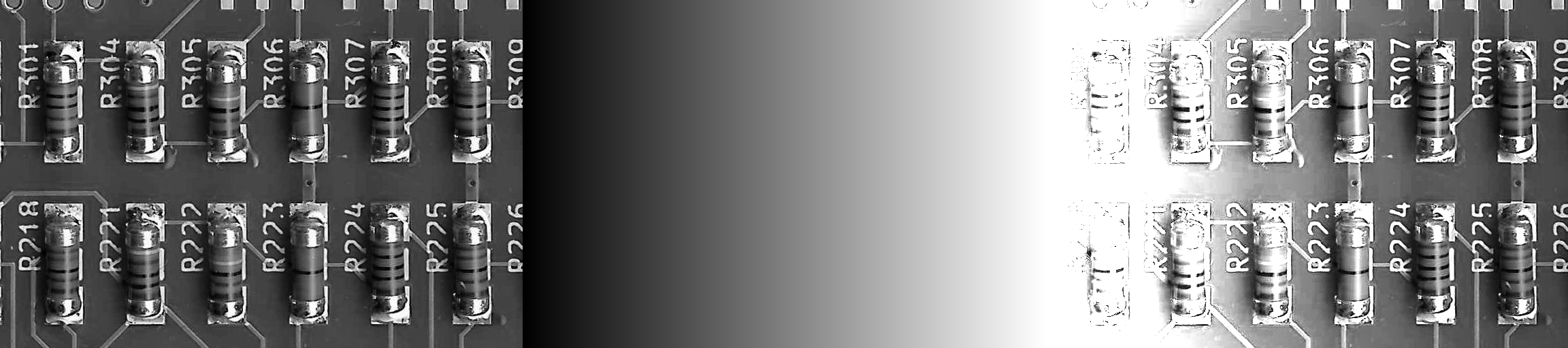
Image / Gradient -> Result
Logic Operators
The following operators are available:
And
Logical And.
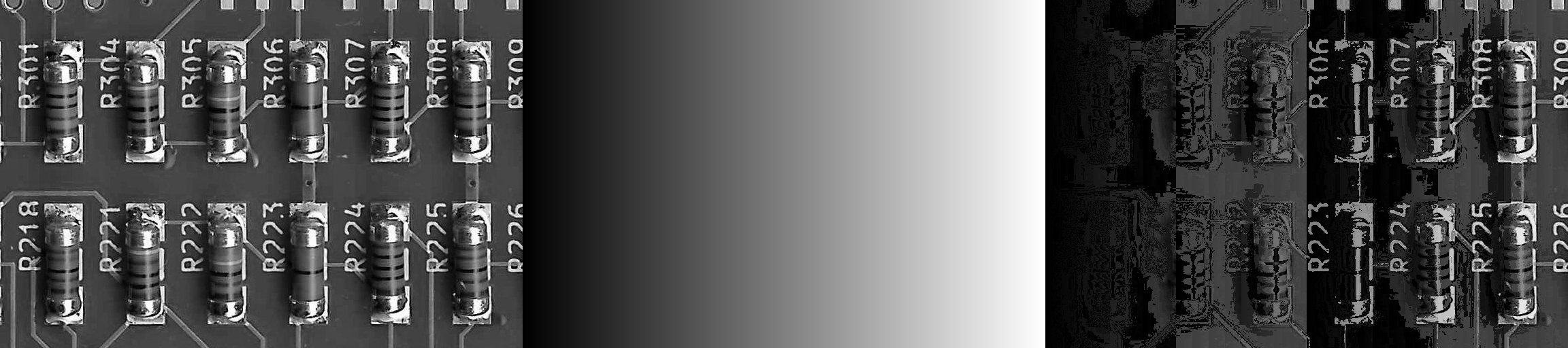
Image & Gradient -> Result
Or
Logical Or.
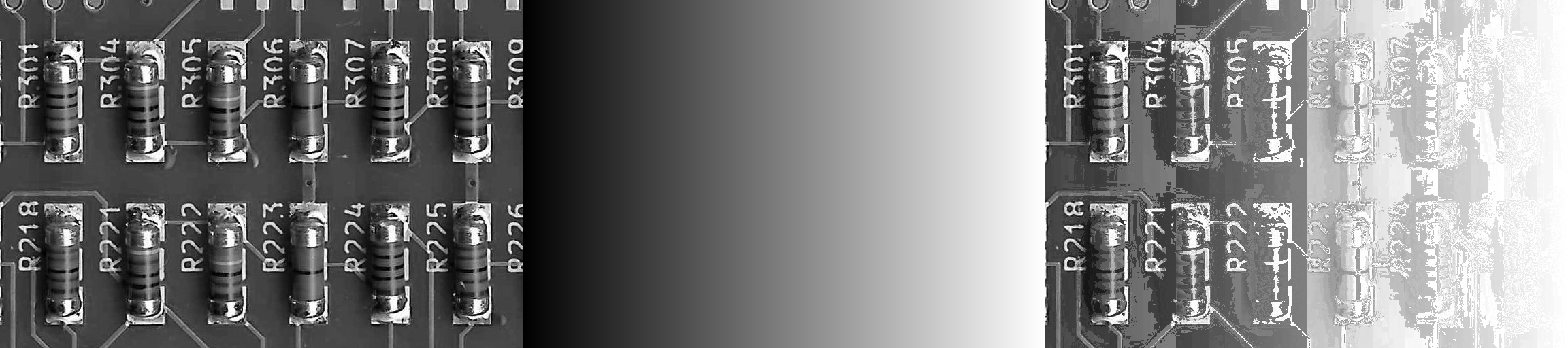
Image | Gradient -> Result
Xor
Logical Xor.
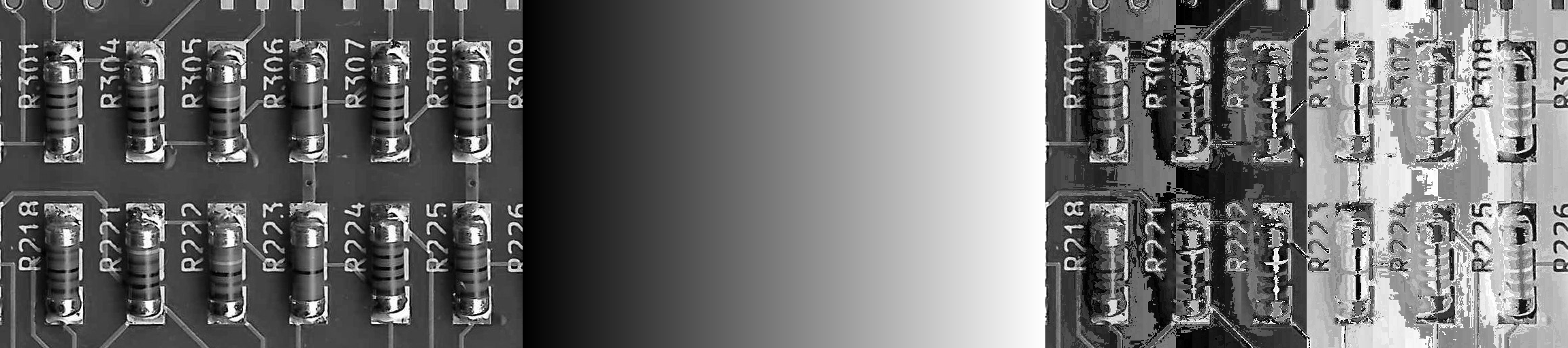
Image ^ Gradient -> Result
Comparison Operators
The following operators are available:
Smaller
Compare smaller.
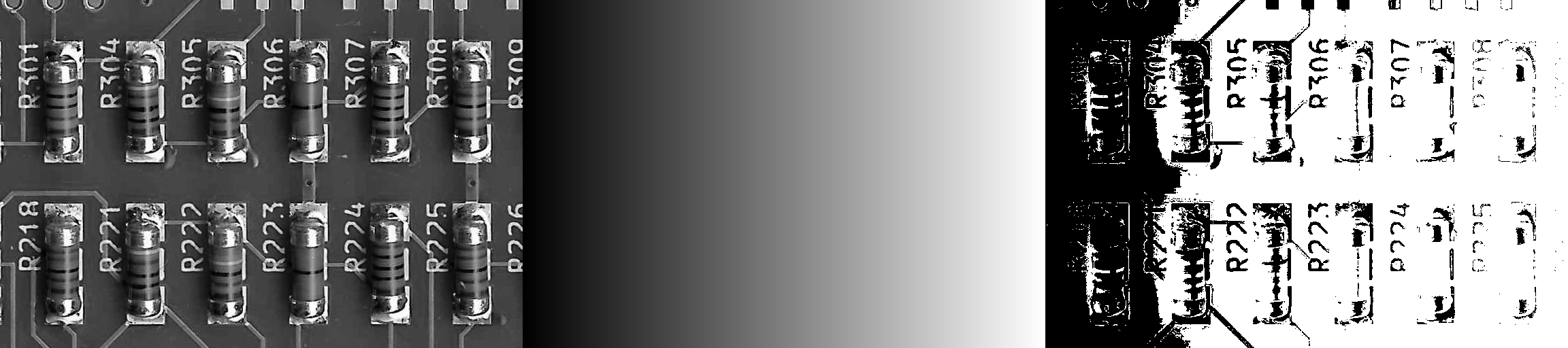
Image < Gradient -> Result
Smaller or Equal
Compare smaller or equal.
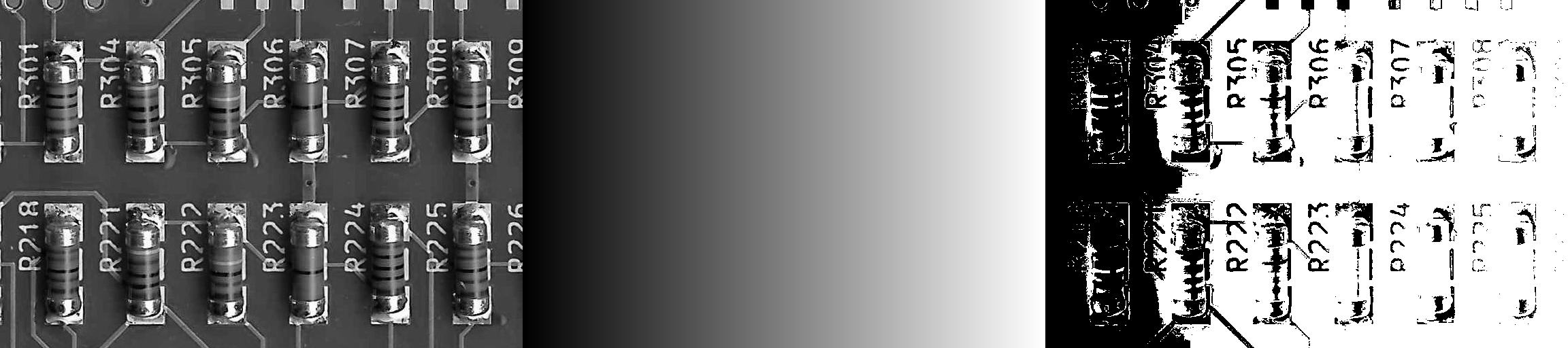
Image <= Gradient -> Result
Equal
Compare equal.
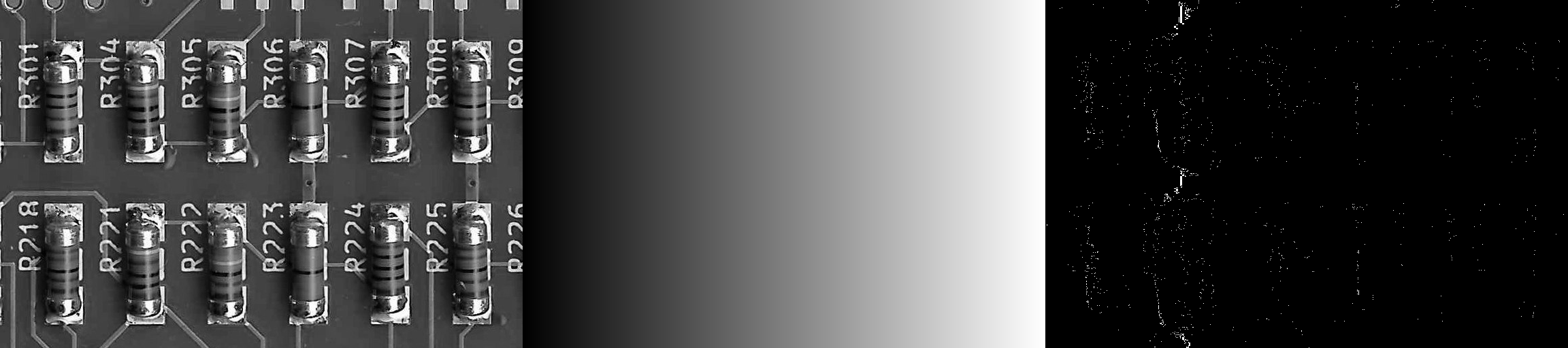
Image == Gradient -> Result
Bigger or Equal
Compare bigger or equal.
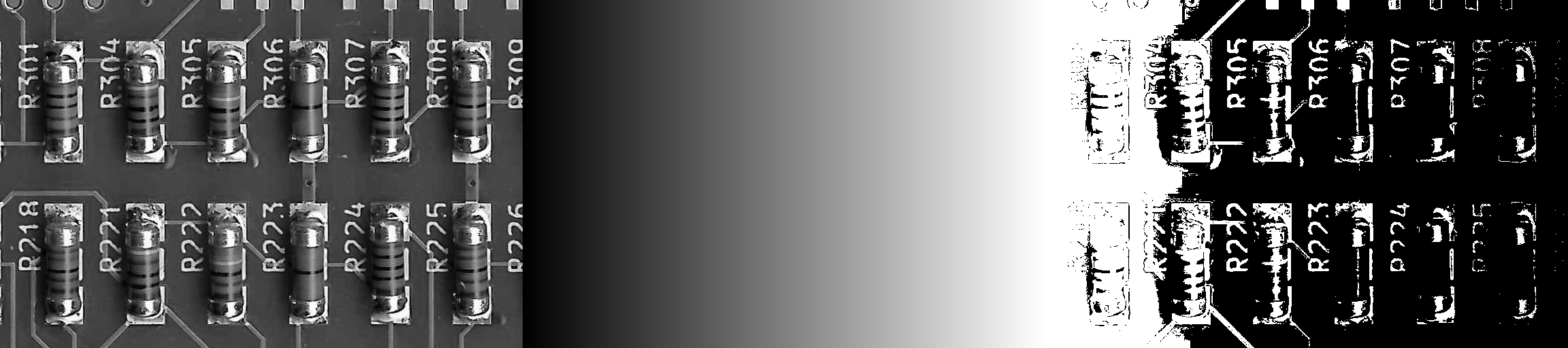
Image >= Gradient -> Result
Bigger
Compare bigger.
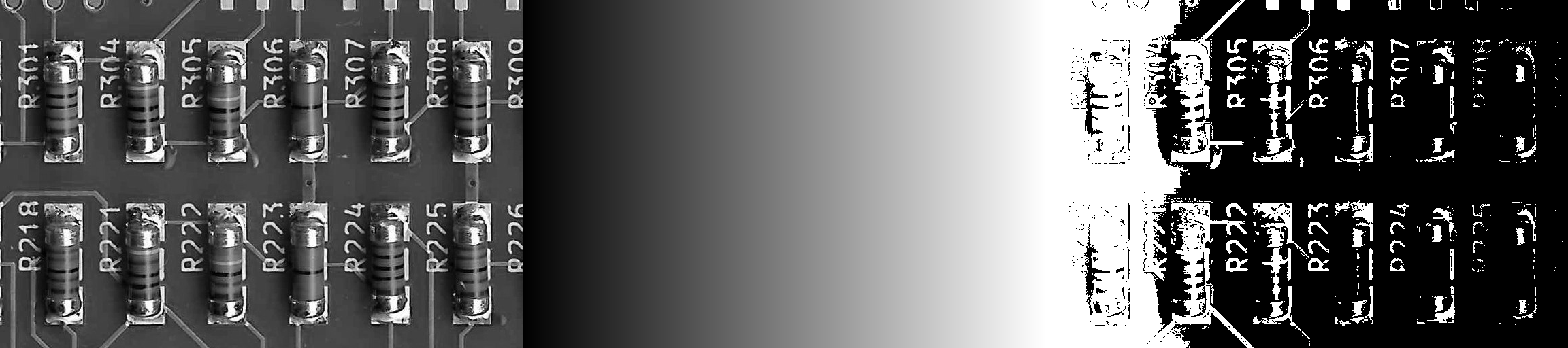
Image > Gradient -> Result
Min/Max Operators
The following operators are available:
Min
Minimum.
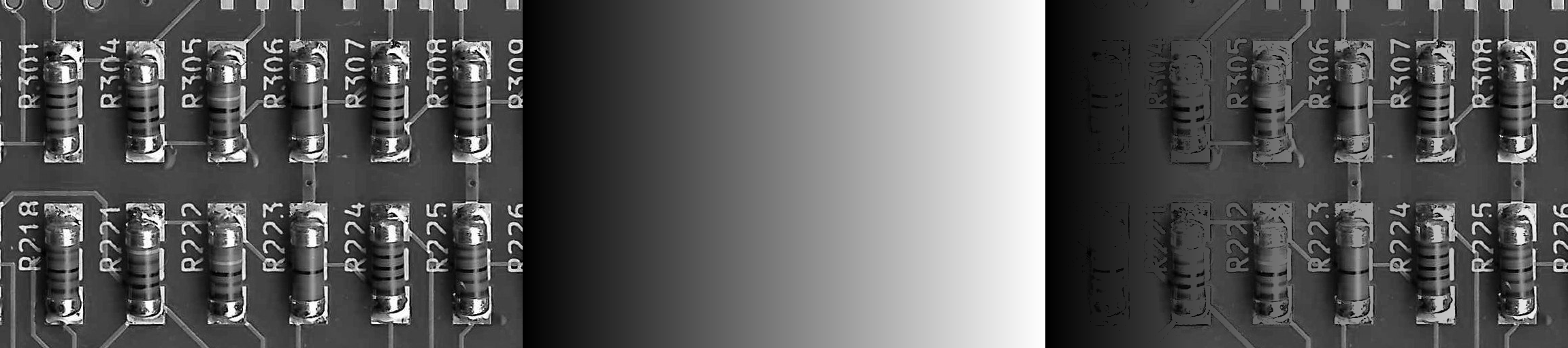
min( Image, Gradient) -> Result
Max
Maximum.
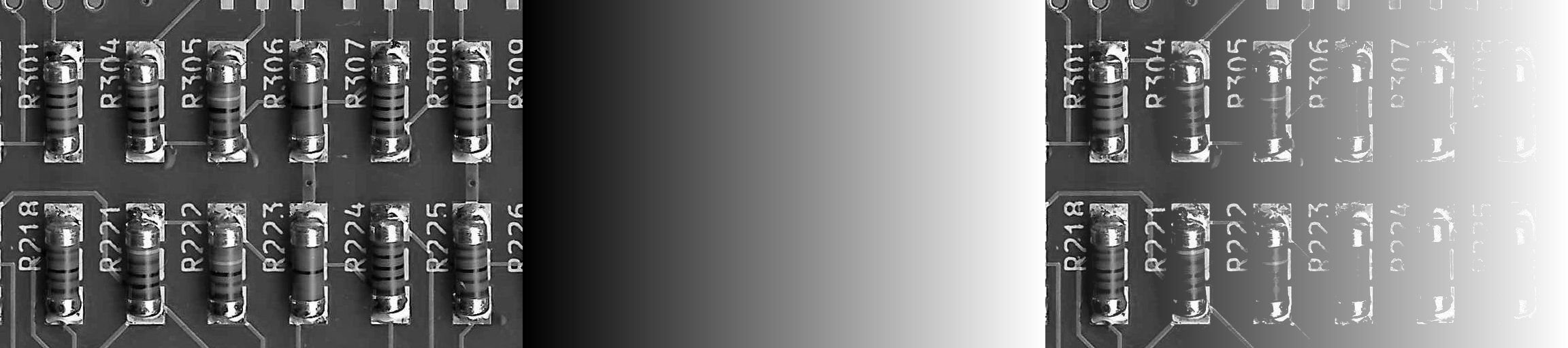
max( Image, Gradient) -> Result
Inputs
ImageA (Type: Image)
The first input image.
ImageB (Type: Image)
The second input image.
Operator (Type: string)
Specifies the operator.
| operator | operation |
|---|---|
+ |
add |
- |
subtract |
diff |
difference |
* |
multiply |
/ |
divide |
*_blend |
multiply (blend) |
/_blend |
divide (blend) |
& |
and |
| |
or |
^ |
xor |
< |
smaller |
<= |
smaller or equal |
== |
equal |
>= |
bigger or equal |
> |
bigger |
min |
minimum |
max |
maximum |