Text
The Text node is used to display a text.
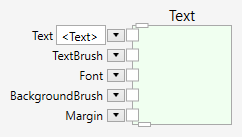
At the top of the Text node is a pin that allows it to connect to a parent widget. The region will be displayed only, if a parent connection is made.
At the bottom of the Text node is a pin that allows it to connect children to the text widget. The parent, grandparent, children and grandchildren define the layering of the widgets and the graphical outcome.
Children are layered on top of the parent.
Inputs
Text (Type: String)
The text to be displayed.
TextBrush (Type: SolidColorBrush)
The brush used to draw the text.
Font (Type: Font)
The font used to draw the text.
BackgroundBrush (Type: SolidColorBrush)
The brush used to draw the background.
Margin (Type: Thickness)
The margin around the text.
Comments
The position of the text is at the origin of the parent widget. If the text is displayed on top of an image, it appears in the top-left position of the image. In order to move the text to some other position, you can use another widget to position it, such as a Point widget.

If you connect the Point input of the Point widget, the connected position is used. Otherwise, you can drag the point around interactively to specify the position.
Example
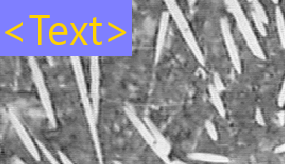
Here is an example that displays a text on top of an image. This pipeline
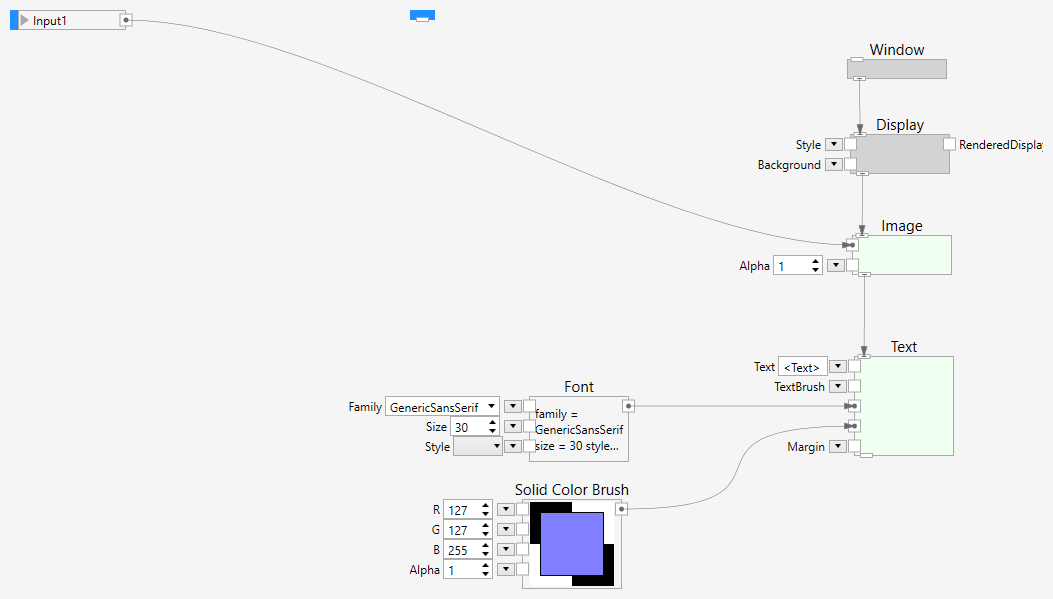
shows the following result: