Read Symbol
Reads symbol data from a Beckhoff PLC.
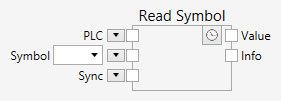
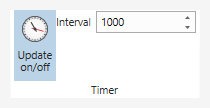
If the clock button inside the node is pressed  , the node polls the PLC regularly. The frequency of the polling is controlled with the timer interval setting on the Pipeline tab on the ribbon.
If the clock button inside the node is released  , the PLC is not polled, and the node executes during regular pipeline updates only.
Inputs
PLC (Type: TwinCAT.Ads.AdsClient)
A Beckhoff PLC (ADS) instance.
Symbol (Type: string)
A PLC symbol name.
Sync (Type: object)
This input can be connected to any other object. It is used to establish an order of execution.
Sometimes, if this is necessary for technical reasons, you can add a Delay node in order to introduce additional delay between synchronized nodes.