Segmentation
The Segmentation tab groups commands for segmentation of images (separation into foreground and background) and blob analysis (particle analysis).
The Edit group contains commands for pipeline editing.

The first command deletes a node in the linear pipeline. The second command commits the result of the selected node to the browser, where it can be stored into the filesystem. These two commands are replicated on most tabs of the ribbon.
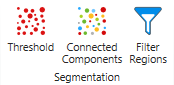
The Threshold command performs binary thresholding at a threshold value and creates a region as a result. The result is really only one region, despite it may consist of visually separated parts.
The Connected Components command takes the region and splits it into a list of regions based on the connectivity (or distance).
The Filter Regions commands allows you to remove those regions from a list of regions that do not satisfy a condition, such as Area > 200. You can use any region feature for the filtering.

The Blob Analysis command calculates features for each region. You can select the features to be calculated. The result is a grid of values: for each object or particle you will get a row of numeric results, that you can commit and save to a CSV file if needed.
The Plot command displays features graphically.