Process
The Process tab groups many commands for image processing.
The Statistics group contains commands for statistical analysis of images.

The Histogram command adds a step to the pipeline that calculates a histogram.
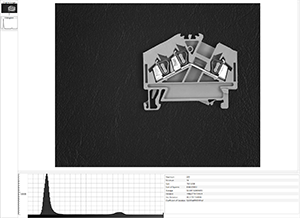
The Horizontal Profile command adds a step to the pipeline that calucates a horizontal profile.


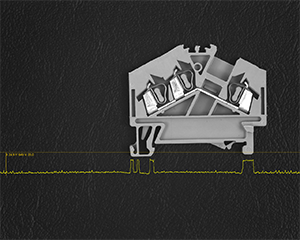
The Horizontal Profile Overlay command adds a visual tool on top of the image display that displays the profile and allows you to inspect positions and values.
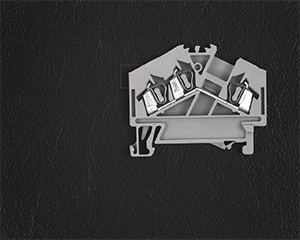
The Crop Box command adds an interactive tool that allows to crop a rectangular portion out of an image.

The rectangular area can be moved and sized interactively. Only the cropped portion is sent downstream into the following node.
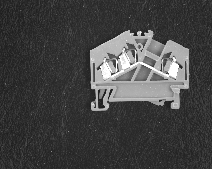
The Bin command shrinks an image by an integer factor (horizontal and vertical can be different).

The command supports various binning modes: arithmetic, geometric, harmonic and quadratic mean, maximum and minimum, as well as median and midrange.
The Point group contains commands for pixel-wise operations on images.

Some commands (Not, Negate, Increment, Decrement and Absolute) do not need any parameters at all.
Other commands (arithmetic, logic and comparison) need one parameter, which can be supplied via the linear pipeline.
The point commands also exist between two images, and those variants can be used in the graphical pipeline editor.
The Color group contains functions for color space conversions.

Images can be transformed into different color spaces.
Rgb or monochrome are usually used. Hls (hue, luminance, saturation) and Hsi (hue, saturation, intensity) are sometimes advantageous, because they model human perception better than Rgb. Lab tries to deliver perceptual uniformity and is useful for color segmentation.
The Frame group contains the Frame command that puts a frame around an image.

The Filter group contains commands for neighborhood filtering operations on images.

The Filter group contains commands for median, lowpass and highpass filtering.
Median filtering is often used for noise reduction. The Median and Hybrid Median filters are two variants of median filtering.
Lowpass filtering is another method used for noise reduction. The Gaussian (sigma), Gaussian (fixed 3x3 and 5x5 kernels) and Lowpass filters are variants of lowpass filtering.
The other filters are for edge emphasis and edge detection.
The Morphology group contains commands for morphological operations on images and regions.

The morphological filters can operate on images (blue icons) or on regions (red icons). Morphological filters on regions are much more performant and should be chosen if possible.
Dilate, Erode, Open and Close are the basic morphological functions. The morphological Gradient is a form on edge detection.
The Inner Boundary and Outer Boundary turn a region into the respective boundary.
Fill Holes fills holes in a region.
The Geometry tab groups commands for geometric operations on images.

The Mirror commands reverses right and left in an image.
The Flip command reverses top and bottom in an image.
The Rotate Clockwise, Rotate 180° and Rotate Counter Clockwise commands rotate an image.