Pipeline
The Pipeline tab groups pipeline related commands.
The Edit group contains commands for pipeline editing.

The first command deletes a node in the linear pipeline. The second command commits the result of the selected node to the browser, where it can be stored into the filesystem. These two commands are replicated on most tabs of the ribbon.
The Pipeline group has commands for sub-pipeline creation as well as import and export of pipelines.
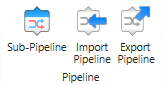
The Sub-Pipeline command inserts a sub-pipeline into the linear pipeline.
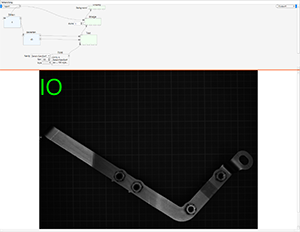
This sub-pipeline step has a visualization in two panes, where the upper portion (above the blue splitter line, that you can drag down) is the editor for the sub-pipeline, and the lower portion is the output visualization of the sub-pipeline.
A sub-pipeline by default has one input and one output, as well as any number of nodes and connections between the nodes. Nodes are inserted by selecting them from a context menu (right mouse button click in the upper pane).
The visualization in the lower pane either shows the first output, or some other visualization that is composed within the sub-pipeline.
The Import Pipeline and Export Pipeline commands allow you to load and save pipelines from disk.
The Control group contains commands to apply the pipeline to a set of files on disk.

Some commands in this group are active if you have loaded a set of files with the Open Folder command. The commands allow you to step forth and back in the sequence of files, process all images in the folder and control how export nodes in the pipeline behave.
The Timer group contains commands for polling nodes.
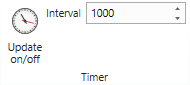
Polling can be switched on an off, and the polling interval can be specified. Polling affects only one polling node (nodes that support polling have a little clock symbol, which must be checked to make such a node the polling node).
The Execution Timing group contains information about the execution time of a pipeline.
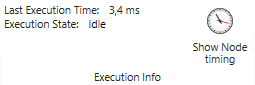
You can see the overall execution time of the pipeline, and with the Show Node Timing command you can see timing information broken down to a single node in the graphical editor.
The Execution Statistics group gives statistic information about pipeline execution.
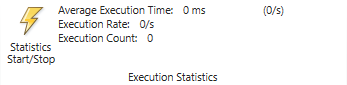
The Statistics Start/Stop command enables or disables the accumulation of statistic information.