Locate
The Locate tab groups commands for location of parts.
The Edit group contains commands for pipeline editing.

The first command deletes a node in the linear pipeline. The second command commits the result of the selected node to the browser, where it can be stored into the filesystem. These two commands are replicated on most tabs of the ribbon.
The Locate group contains the tools for part location.
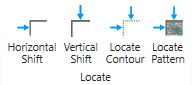
The Horizontal Shift and Vertical Shift tools detect the location of a part by using edge detection. They can be combined to find the horizontal and vertical position of a part.
The Locate Contour and Locate Pattern tools detect the position of a part with regards to translation and rotation using geometrical pattern matching (Locate Contour) or normalized grayscale correlation (Locate Pattern). In order to work with the tools, a region of interest is placed on some distinctive portion of the part. The Teach command is then used to teach this position.
Other tools respect this position and move their region of interest accordingly, so that the region of interest follows the part movement.
The tools are meant to be chained one after the other, where one of the location tools is often the first tool in a chain of tools.