Home
The Home tab groups commands that are used often.

You can select a camera and its mode with the combo boxes in the Acquire group. You can also use the Start Snap and Start Live commands to acquire a still image or start continuous live acquisition.
nVision supports multiple cameras (if they are connected) and you can use the controls to start one acquisition, change the camera and start another acquisition.
The commands in the Adjust Camera group control camera related settings.
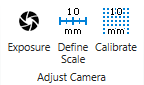
The Exposure tool lets you set the exposure time of a camera, and Define Scale and Calibrate perform spatial camera calibration using a known length or a calibration target.
The commands in the Zoom group are used to zoom in an out, as well as to reset the zoom factor.
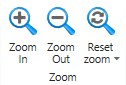
You can also use keyboard shortcuts to zoom in (Ctrl + +), zoom out (Ctrl + -) or reset the zoom factor to 1 (Ctrl + Alt + 0), or set the zoom factor (Ctrl + 0) so that the display fits the window size.
The Tool Windows group has commands to show or hide the Help, Browser, Camera Parameters, System Globals and Log Output windows.

The Help (F1) window shows help information.
The Browser (F2) shows the loaded images and text files in a tiled fashion, along with additional information.
The Camera Parameters (F3) window shows the GenICam parameters of the selected camera.
The System Globals (F4) window shows a pipeline editor that can be used to define global values that are available in all pipelines.
The Log Output (F5)window shows logging information.