Database Support
nVision can connect to databases and read values from or write value to them.
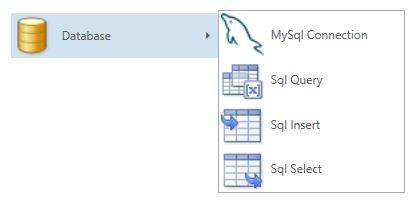
In order to use the database related nodes, you need to have a MySql database server running somewhere. You can find more information about MySql on the website (http:www.mysql.com). The samples assume that you have a local installation and that you have the sakila sample database accessible.
Establish Connection
The first step is to establish a connection to the database. The connection can be to a locally running database, or to a database running on a foreign machine. In order to connect to a database you need to specify the server name. To use the local machine, you would use localhost or 127.0.0.1 as the server name. To use a foreign name, you would use the IP address or the DNS name of the server. Then you need to specify the database name that you want to connect to. This database must exist on the server. Finally, you need to specify the user and the password for the connection.
Since a connection has a somewhat global nature, you can put the connection into the Global or the System Global pipeline.

Once you have a connection, you can use it to execute database queries. Queries come in the form of select, insert and generic query statements. Since the different query nodes perform IO and do not behave in a functional manner, they have the optional possibility to establish an order using their Sync inputs and outputs.
Execute Select
The select node allows you to construct a simple Sql SELECT statement easily.

The picture shows how you work with the select node. You start by establishing the connetion, then you select the table from the database (film) and finally you choose the columns. In the picture we have constructed the following select statement: SELECT title, description FROM film;
The select returns a list of rows that reflect the result of the query, and each row consists of a list of strings; the result is a list of a list of strings (List<List<String>>).
The QueryTail parameter allows you to append additional clauses to the end of the query (just before the semicolon). Possible clauses are WHERE..., GROUP BY..., ORDER BY..., LIMIT..., etc. For a full explanation of the possible select queries have a look at the MySql documentation (https://dev.mysql.com/doc/refman/5.6/en/select.html).

Execute Query
The query node allows you to contruct any query that you can run against your database, not restricted to just SELECT or INSERT statements. Examples are CREATE TABLE..., DELETE..., DESCRIBE... and EXPLAIN... to name a few different statements. Have a look at the MySql documentation (https://dev.mysql.com/doc/refman/5.6/en/sql-syntax.html) to find out more about the possible statements.